
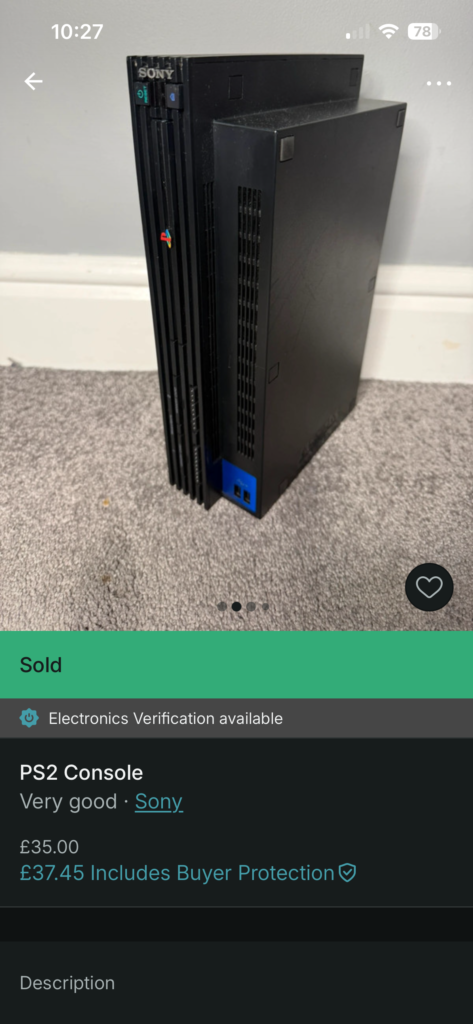
Finding the best PS2 model for modding sounds like it should be simple: buy a console, add storage, boot games.
In reality, it involved more than the majority of mod tutorials insinuate. Don’t get me wrong, the actual basic FMCB, or Free McBoot, part was simple plug and play. Optimising the whole build, though, which I’m absolutely a sucker for, took a lot more trial and error and research.
Probably more than I needed, but I’m a sucker for getting the best output. Here’s how I approached the hardware side and kept it sane.
If you’ve ever watched a quick YouTube guide on PS2 modding, it always looks almost offensively simple. Buy a PS2 Fat, grab a network adapter, stick an HDD or SSD in, load up Free McBoot and Open PS2 Loader, and suddenly you’ve got this slick “modern PS2” that boots into a library like it’s a Netflix menu.
That’s the version I had in my head when I started.
The real version, the one I actually lived, felt less like “modding a console” and more like building a small, slightly moody computer out of 20-year-old parts. And I say that with affection, because I genuinely enjoyed it, but it absolutely had moments where I thought, why is this harder than it needs to be?
The stupid details pull you in quickly
One of the first signs I was underestimating it was how quickly I got pulled into stupid details. Not “cool nerdy details” either. The sort of boring terminology stuff that can quietly waste an evening.
I remember getting hung up on things like formatting language and whether “cluster size” was something I needed to worry about for the HDD or SSD. And let’s not get started on which type of storage to use. As you can guess, I went for an SSD, although I’d managed to grab one just before the insane 2025 price hikes.
That’s a classic trap, because half the advice online is written like you’re meant to already know what people mean, and the other half contradicts it anyway. Lots of decisions actually have a knock-on effect on the methods you follow, and one tutorial to the next is often creating a slightly different package.
And it’s funny, at that stage I hadn’t even committed to a specific console yet. I was already in that headspace where I’m trying to pre-empt every problem before it happens.
That sounds sensible, but it’s also how you end up paralysed, because PS2 modding has so many “depends what version you’re on” variables that you can’t predict everything upfront.
Like I often find in life, sometimes you’re better off jumping into a project and working through it rather than trying to plan the entire process from start to finish. I know this seems counter-intuitive to quality assurance, but you have to move beyond the paralysed information overload point.
It’s the same with getting writing started and breaking the noise of the blank white page.
You just need to start.
Best PS2 Model for Modding –The “which PS2?” question that I thought wouldn’t matter
I started looking at PS2 models properly, not just “is it a Fat?” but which revision I actually had, what it was likely to be like internally, and whether moving parts between consoles would create problems.
Contradicting myself here, this is one part where jumping in wasn’t efficient, as I ended up with a model of PS2 that didn’t work with the FMCB card I’d bought. But hey, I needed to dive in to learn that lesson. And if anything, hopefully I can save you from making the same mistake.
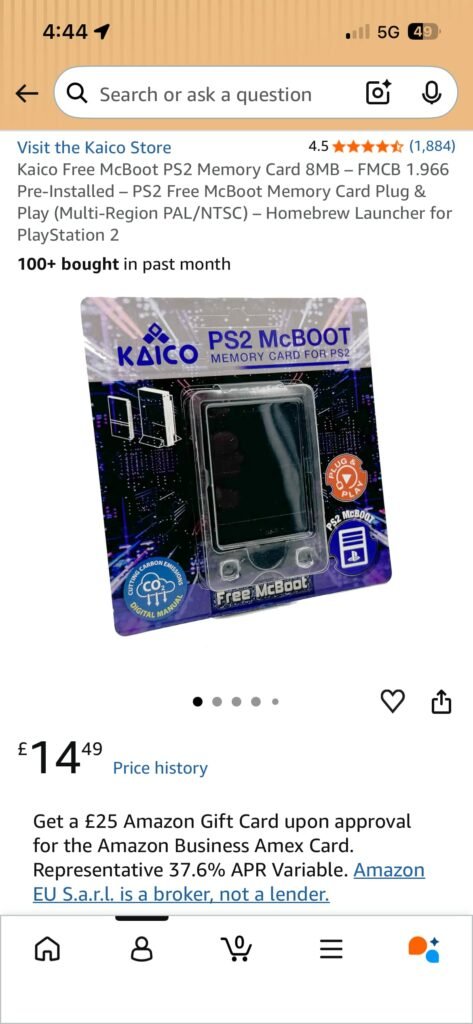
One of the first surprises came before I’d even powered a console on. I assumed a Free McBoot card was a Free McBoot card.
It turns out that’s not always the case.
The first card I bought, an Aukuoy Amazon FMCB card, wasn’t compatible with my SCPH-30003R, which sent me straight back down another rabbit hole of model numbers, BIOS revisions, seller claims and conflicting forum advice.
What I’d expected to be a simple £10 purchase quickly became another evening of research. Eventually I replaced it with a Kaico card that offered much broader compatibility and removed a lot of the guesswork.
That’s the moment you realise something important: a PS2 isn’t just the shell. Your set-up is a chain:
– the console itself
– the adapter
– the drive
– the memory card environment
– the loader
– the way you’ve configured it all to boot
– even things like cooling and fan noise
A lot of guides talk like you’re modding a single object. In reality, you’re building a little ecosystem. And if one part is slightly off, the whole thing can behave weirdly in a way that doesn’t scream “this is the broken part”.
It just becomes flaky.
When the idea for a gift-ready build came, my priorities changed
Here’s the big pivot for me: I wasn’t only doing this for my own tinkering satisfaction. I started thinking about building a second PS2 as a gift system.
And the second you introduce that goal, the whole project changes shape.
I’m happy to fiddle. I’ll tolerate a bit of nonsense if it means I learn something. But if you’re handing a console to someone else, you don’t want it to come with a mental user manual like:
– “It boots… unless you do a cold power cycle.”
– “It works… but only if the memory card is in slot 1.”
– “Don’t touch that menu or it’ll disappear.”
– “Please don’t touch a single boot setting.”
A gift-ready system needs to feel like a normal console. Press power, it behaves. That became the bar I was aiming for, even when I was still in the choosing parts and planning stage.
It’s also why I stopped chasing fancy options early on. I didn’t want the most features. I wanted the least number of things that could silently fail. And honestly, that’s a theme that runs through my modding habits in general.
The best retro set-ups aren’t the ones that look impressive on paper. They’re the ones that are dependable in real use and present the least friction day to day for pick up and play.
One thing I’ve learnt is that friction in hobbies as an adult can quickly kill the motivation to jump in.
The best decision I made early: stop trying to pre-solve everything
The most practical thing I did at this stage wasn’t buying a particular model or adapter. It was mentally shifting the way I approached the project.
Instead of trying to build the “perfect” set-up in my head before touching anything, I moved to a simpler approach:
– get a known-good baseline working
– document what I did
– only change one thing at a time
– test with cold boots, not just quick resets
That last point becomes massive later on, especially when you get into autoboot and loader behaviour. But the planning stage is where you decide whether you’re building a stable console or a constantly evolving science experiment.
So if Article 1 was about why I chose real PS2 hardware, this part is the start of me accepting something else: this isn’t just “mod a PS2”. It’s a proper build.
And if I treat it like one, it rewards me.
If I treat it like a quick hack, it punishes me.
Next up I’ll get into storage and loading, the part I assumed would be the most straightforward, right up until I hit that moment where the drive wasn’t detected and I had the immediate “I’ve broken everything” panic… only for the fix to be embarrassingly simple.
Final Build Specifications
Once I’d settled on the SCPH-50003 as my keeper system, the build gradually evolved into something more considered than I originally expected.
Personal Build: SCPH-50003
– PlayStation 2 Fat SCPH-50003
– Kaico Free McBoot v1.966 memory card
– Silicon Power 1TB SATA SSD
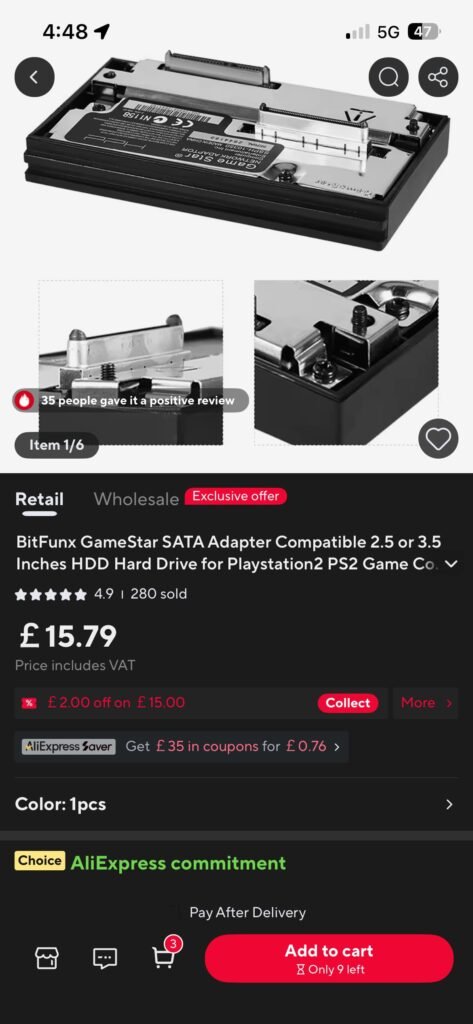
– SATA network adapter, AliExpress SATA version
– SSD mounting bracket
– Brook Wingman PS2 adapter
– PlayStation 3 controller for wireless play
– PSXMemCard Gen2 for save management and backups
– Retro Gaming Cables RGB SCART cable
– RetroTINK 4K upscaler
– SATA-to-USB adapter for loading and managing game files
At the time of writing, I’m also considering a quieter fan modification and replacement mounting bracket, although those upgrades haven’t made it into the system yet.
Gift Build: SCPH-30003R
Once the SCPH-50003 took over as my main machine, the original SCPH-30003R became the basis of a second build that I eventually gifted.
That system consisted of:
– PlayStation 2 Fat SCPH-30003R
– Free McBoot memory card created from my working setup
– 500GB SATA SSD
– SATA network adapter
– SSD mounting bracket
– Official PlayStation 2 memory card
– Original wired PlayStation 2 controller
– Standard power and AV cables
The Reality of the Rabbit Hole
What started as “I’ll just buy a PS2” quickly became something much bigger.
First it was deciding which PS2 model to buy. Then came Free McBoot compatibility, SSD versus HDD debates, network adapters, memory cards, controller options, image quality upgrades, save management solutions and eventually even thoughts about fan replacements.
By the time I’d finished, I hadn’t simply bought a PlayStation 2.
I’d accidentally built two of them.
Related reading @ Retro Tech Tonic
Useful external links (the stuff I actually leaned on)
- Free McBoot (FMCB) – Downloads – Handy reference point if you want to sanity-check versions (especially when guides mention menus you simply can’t see on your own build).
- FreeMcBoot Installer (GitHub – israpps) – The project page behind the FMCB installer builds. Useful when you’re trying to work out what’s bundled, what’s changed, and why your setup doesn’t match an older tutorial.
- Open PS2 Loader (OPL) – Official GitHub – The proper home for OPL. If you’re ever unsure whether you’re on an outdated build, this is the anchor point.
- Open PS2 Loader (OPL) – PS2 Homebrew Project page – A cleaner “front door” for OPL with links out to downloads and support. Much easier than digging through random forum posts.
- HDL Batch Installer – Official site – This is the PC-side tool I ended up relying on for getting games onto a PS2 drive without making it a full weekend job.
- HDL Batch Installer – PSX-Place resource page – Useful as a second source for version notes and context, especially if you want a more “community documented” view of the tool.

About the Author
I am Danny McGough, the founder and editor of Retro Tech Tonic.
For my day job, I work in higher education as an Assistant Professor and Course Director, spending my time designing and managing complex academic structures and modules or exploring into any research that interests me . My latest specialisms are around Building Information Modelling, Construction Innovation and Artificial Intelligence.
Retro Tech Tonic is where I step away from that institutional rigidity. It is my dedicated space to pick up a soldering iron, argue the architectural value of physical game media, and push back against the frictionless convenience of modern tech. I believe technology should serve as an intentional, human-controlled tool, and I write to figure out exactly where those boundaries lie.