
I went into this with the most modern-brain assumption possible: I already own a PS3. Surely a modded PS3 is the answer. It’s got HDMI, it’s powerful enough to brute force older stuff, and in my head it was going to be one neat box that handles PS1, PS2 and PS3 without loading ‘just one more console under the TV’. So was it to be emulation, PS3 backwards compatible or a PS2 fat mod on original hardware?
Playing PS2 Games in 2026
And to be fair, a hacked PS3 Slim can absolutely run PS2 games. That part isn’t the myth, but at what loss of quality? Will the final output be as the game was designed and intended, or will there be a loss of authenticity? It’s the experience around it that people gloss over. You’re not just “playing the game”. You’re choosing a method, dealing with compatibility quirks, and often doing prep work that makes the whole thing feel more like a hobby project than a console you can just jump on for twenty minutes. Although time and time again I do turn these ponderings into a full-on project, as will be shown over this series of articles… If you’ve ever had that moment where you sit down to play and suddenly you’re two hours deep into settings, you PC gamers out there know exactly what I mean. And the same can often be said for emulation, especially for 6th-gen or newer consoles.
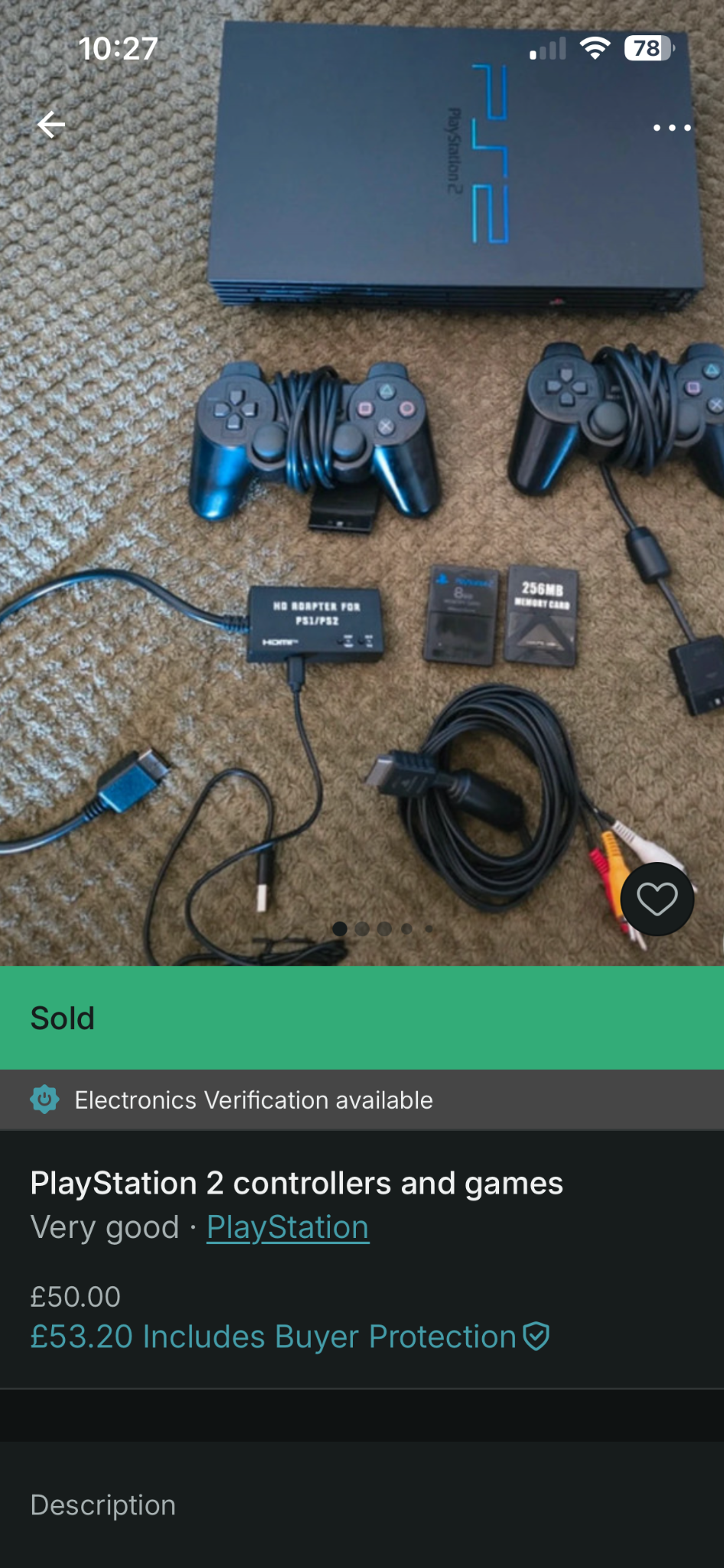
The PS3 Slim route in particular looks tempting because it’s what a lot of us already have sitting around, and in the UK, one can easily be picked up for around £50, that’s around $70. And if you’re patient, that can easily come with controllers and a few popular games. But once you start reading properly, you realise you’re stepping into a few different paths: the PS2 Classics approach (converting ISOs into packages), or ISO loading with different managers, each with its own “yeah, it works, but…” caveats. None of it is impossible, but it just doesn’t feel clean and friction-free enough for me. It’s not “insert game, play game”. It’s “pick your method, test your luck”. For me, I’d rather put in the hard yards up front to leave a minimal friction solution further down the line.
Then there’s the backwards compatible PS3 angle. That’s the one that always whispers in your ear like it’s the perfect middle ground: real PS3 hardware, PS2 support, HDMI, and a tidy, modern output. And I get why people love them. But it’s also the path that comes with a slightly uncomfortable reality: you’re buying older, more failure-prone hardware at today’s prices, and you’re doing it largely because it feels like the ultimate all-in-one solution. It can be brilliant, but it’s not automatically the most sensible long-term option if what you really want is consistency and reliability. As with first release models of most tech, we commonly hit frequent faults such as the PS3’s Yellow Light of Death and the Xbox 360 Red Ring of Death!
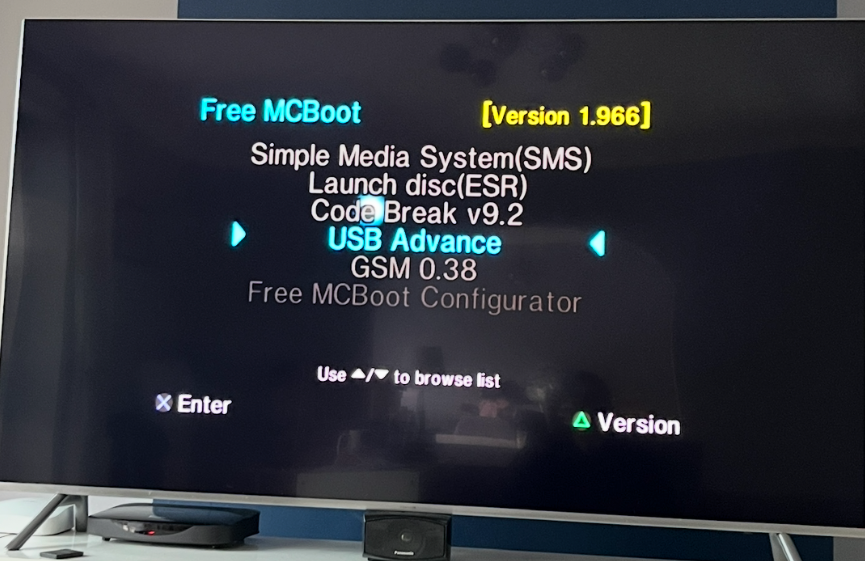
At some point in this whole spiral, I clocked something that sounds obvious now: I wasn’t actually searching for “the easiest way to make PS2 games run”. I was searching for a way that would make me want to keep playing them. That’s what has led me to the PS2 Fat Mod.
Why I went PS2 FAT Mod
Because here’s the thing — the nostalgia isn’t just the games. It’s the rhythm of the console. Power on, familiar menu, pick a game, off you go. When the platform itself becomes the project, it changes the vibe. I could already feel myself heading towards that trap where you spend more time perfecting the setup than you do actually enjoying the library. And I’m consistently torn between 100% sticking to the original play method rather than quality of life changes, such as modded systems with SSD’s or Everdrives. I don’t know about you, but for me, having a huge library on one SSD or SD card can sometimes actually turn me off a system rather than pull me in. It’s that old choice overload leading to analysis paralysis. Sometimes hunting for the original software, disk or cart, and having to apply intent to each choice of game, sometimes actually supports engagement with the ecosystem rather than retracts.
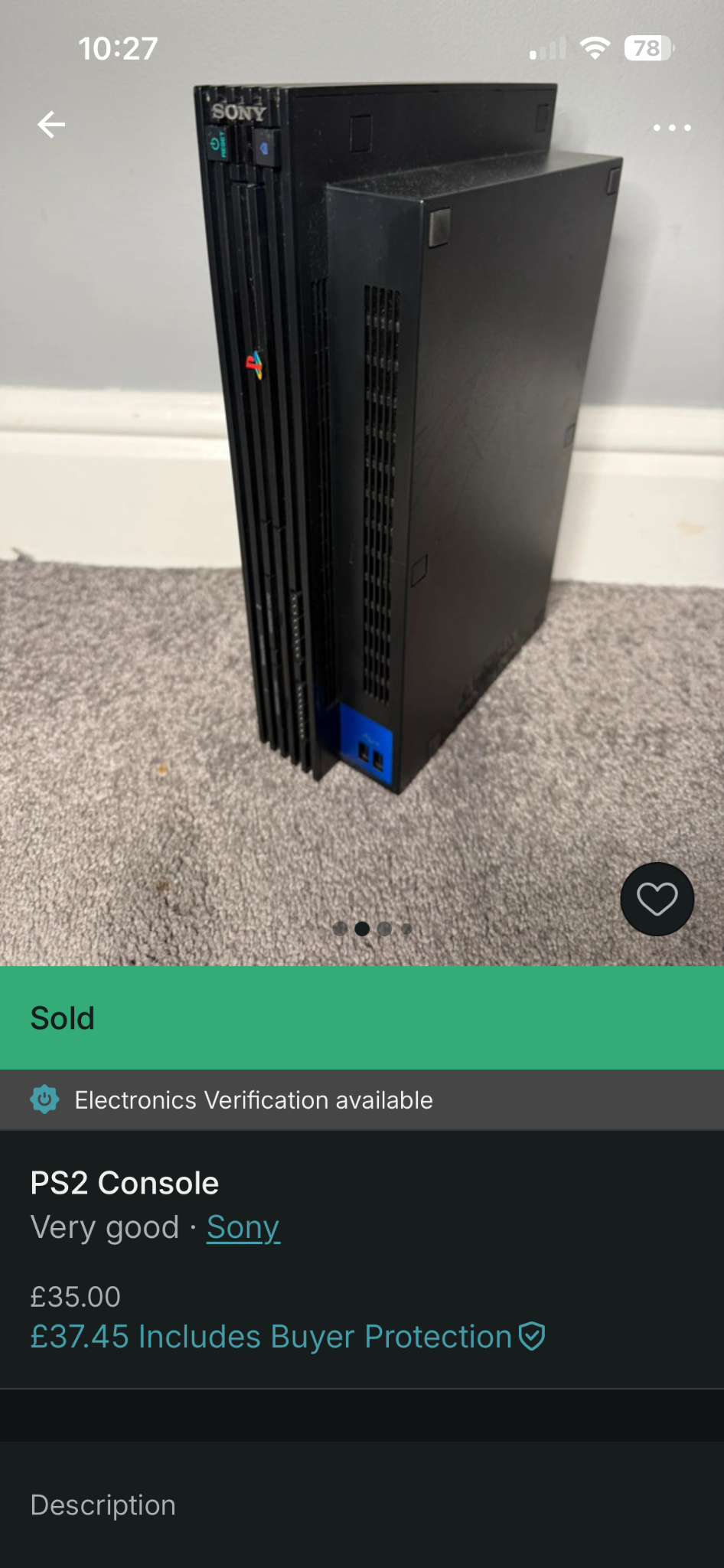
That’s what pushed me back towards a PS2 FAT. Not because it’s the flashiest option, but because it’s the one that brings you back to something stable: native behaviour, predictable compatibility, and fewer moments where you’re wondering whether the console or the method is the reason something feels “off”. My thinking was simple in the end: I could have an SSD on it, opening up the door to out-of-reach games, and I could also play or burn original games found on a hunt directly on it with no faff. Future RTT insight here… even though finding ISO’s and loading them on was fairly easy, finding physical copies of games still ended up a valuable process. This was down to the fact that many ISO packs were of set regions like NTSC, and on occasions, I wanted PAL to keep that original feeling I had in the 2000’s. Games like Pro Evo just felt right when using my native region version.
And once I accepted that I was going to build a proper PS2 set-up, the next internal argument started immediately: do I go SSD or the cheaper HDD?
I’ll admit it — my first instinct was “SSD will transform it”. That’s the 2026 mindset talking. In reality, the PS2 is still the PS2. The benefit of SSD here isn’t some wild leap in performance, it’s the quieter, calmer, less fragile feeling of the thing. No spinning drive noise, less heat, less worry about some ancient hard drive deciding today is the day it gives up. It’s quality-of-life more than raw speed, and I’m actually fine with that.
The funny part is I made this choice thinking the “proper PS2 route” would be the straightforward one. It wasn’t. It was still full of the usual real-world nonsense — the sort of stuff guides skip because it’s not sexy. Things like terminology confusion, system version in relation to hack issues, highlighting mismatches between what you’re reading online and what your console actually shows, and those moments where you’re convinced you’ve broken something when the fix is gratefully really simple.
But that’s exactly why I’m glad I didn’t just stop at “PS3 can do it”. Because once I got past the hurdles, what I ended up with wasn’t a clever workaround. It was a PS2 that behaved like a console again. And that, for me, is the whole point.
In the next article, I’ll get into the buying and planning side — the part where I stopped treating it like “any PS2 will do” and started thinking about what it’s going to take to get to a stable build.
For some retro-style gaming nostalgia in a modern package, check out my review of Terminator 2D: No Fate here
Useful external links (the stuff I actually leaned on)
- Free McBoot (FMCB) – Downloads – Handy reference point if you want to sanity-check versions (especially when guides mention menus you simply can’t see on your own build).
- FreeMcBoot Installer (GitHub – israpps) – The project page behind the FMCB installer builds. Useful when you’re trying to work out what’s bundled, what’s changed, and why your setup doesn’t match an older tutorial.
- Open PS2 Loader (OPL) – Official GitHub – The proper home for OPL. If you’re ever unsure whether you’re on an outdated build, this is the anchor point.
- Open PS2 Loader (OPL) – PS2 Homebrew Project page – A cleaner “front door” for OPL with links out to downloads and support. Much easier than digging through random forum posts.
- HDL Batch Installer – Official site – This is the PC-side tool I ended up relying on for getting games onto a PS2 drive without making it a full weekend job.
- HDL Batch Installer – PSX-Place resource page – Useful as a second source for version notes and context, especially if you want a more “community documented” view of the tool.
- Free McBoot overview (SKS Apps) – A plain-English overview of what FMCB is and why it matters, without assuming you’ve been deep in PS2 modding forums for years.
- webMAN MOD Wiki – Game paths & PS2 Classics notes (PS3 context) – If you’re still flirting with the PS3 route, this page is useful for understanding how PS2 “Classics” launching tends to work (and why it can feel a bit fiddly).

Marty Brown
Gaming Hardware & Retro Tech
Marty covers the technical side of gaming — console hardware, retro setups, handheld devices, and the endless rabbit hole of finding the best way to play. From keyboard reviews to PS2 modding and hardware experiments, his articles focus on practical setups, honest impressions, and the small details that make gaming hardware satisfying to use.
Pingback: Backlog as a Library: Not a Debt, Not a To-Do List - RetroTechTonic
Pingback: Call of Duty: Modern Warfare Remastered - A Nostalgic Ride Through a Classic - Review - RetroTechTonic
Pingback: Stepping Back From Game Pass: Reclaiming Intentional Gaming - RetroTechTonic