
Finding a backlit compact keyboard sounds easy until you try doing it for a raised-laptop lap tray setup, in the evening, with real work to get through.
I know, this is a very niche review area, but I just wanted to share my thoughts to hopefully save others time in the future when looking for a compact usable keyboard. This whole frustrating mini-quest started for a pretty simple reason: my neck. I wanted the laptop higher up so I’m not hunching down for hours, but the moment you raise the screen, you end up typing in mid-air on the built-in keyboard… which is nigh on impossible and just asking for shoulder tension and general discomfort.
So the goal became very specific: a compact keyboard that sits below the laptop on a lap tray, feels natural enough to type on without thinking, and crucially — has backlighting. Because I do a lot of this in the evenings, and I found quickly that non-backlit keys slow me down more than I expected.
The annoying part is that backlit compact keyboards are weirdly rare, and a lot of what’s out there is either very cheap and generic, or designed for tablets/phones rather than proper day-to-day typing. Here’s what I tried.
My setup and what I was testing for – A backlit compact keyboard
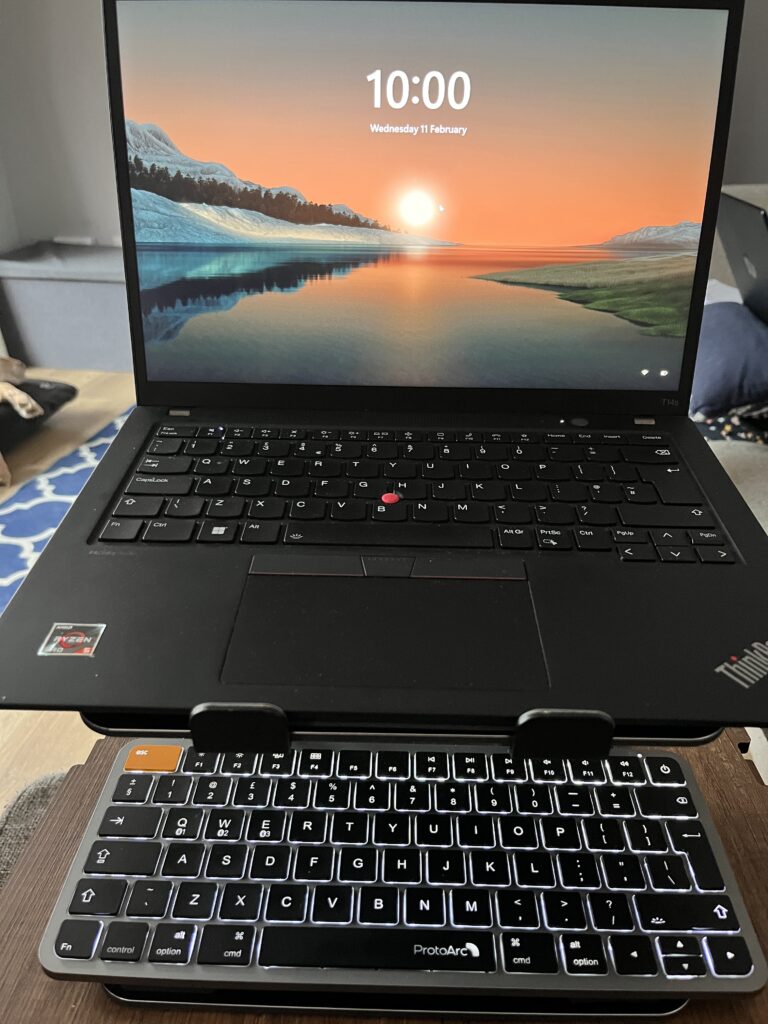
- Keyboard used under a laptop on a laptop lap tray
- Laptop raised for better neck ergonomics
- Regular evening use in lower light
- Typing needs to feel intuitive and familiar (I’m not a pro touch typist, but I type a lot)
1) EasyAcc Bluetooth Keyboard (B09P543KZ2) — £14.99
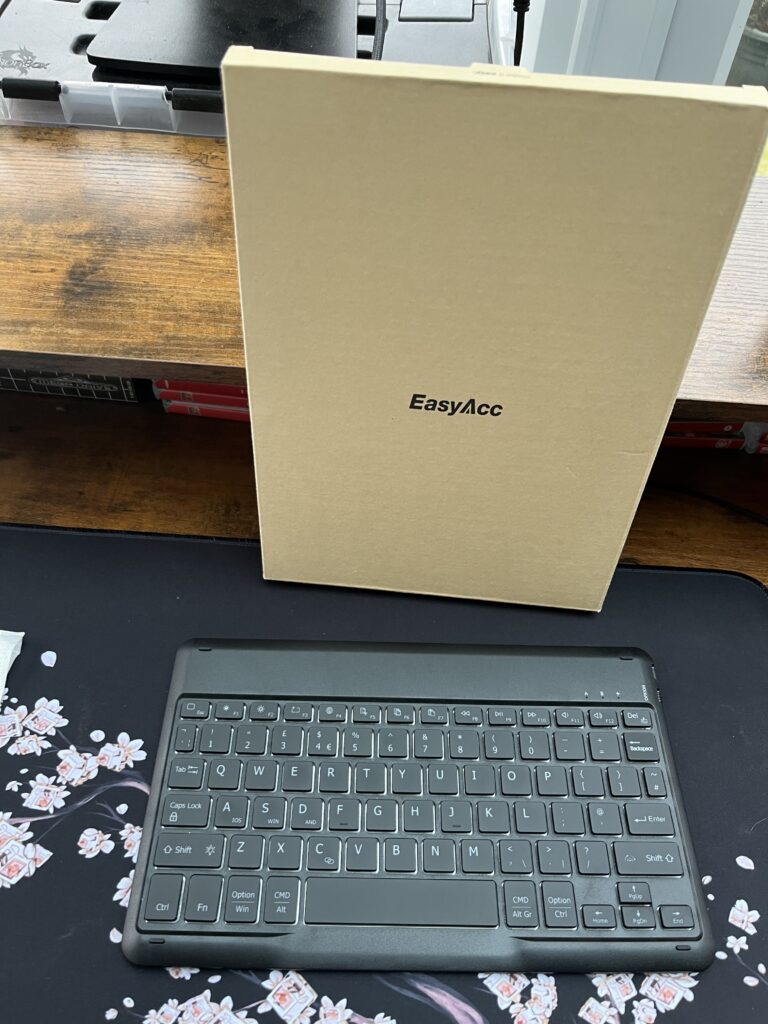
This one surprised me in a good way at first. The aesthetic is nice, it pairs quickly (seconds), and the keys feel responsive in that “yep, this is fine” way you want from a cheap keyboard.
The backlight was a genuine win here. Easy to adjust, and immediately made the whole evening typing situation more comfortable because I wasn’t squinting or hunting as much.
But… it’s just too small for me.
The key sizing and overall compactness kept throwing me off. I found myself looking down far more than I normally would, and the closeness of everything made the typing feel less automatic. It’s the sort of keyboard that would probably work brilliantly if you’ve got smaller hands, or if you’re used to tiny tablet keyboards and don’t mind the compromise.
Where I do think it shines is as an occasional “throw it in a bag” keyboard. It’s compact enough to live in a pouch and come out when you need to do a bit of real typing on a tablet or phone. As a daily driver, for my hands and my pace, it didn’t make the cut.
2) OMOTON Backlit Bluetooth Keyboard (B0F4JBDVV3) — £15.99
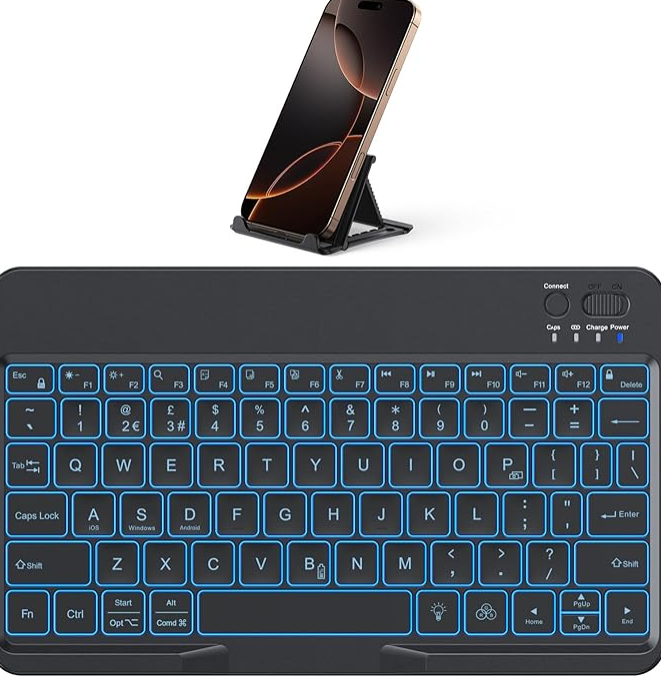
This was the most frustrating one, because it nearly nailed it.
The backlight is bright and adjustable, and I genuinely liked having colour options. The red glow in a dim room is surprisingly pleasant — not harsh, not distracting, just usable.
Typing feel was solid too: responsive keys with a bit more resistance than a typical laptop keyboard, edging closer to that ThinkPad feel. The main letter layout felt familiar and easy to settle into, and pairing was quick and painless.
But there are two deal-breakers for me.
First: the Amazon listing says UK layout… and it isn’t. It’s a US layout (the “@” situation gave it away straight away). I can adapt, but I shouldn’t have to when it’s listed as UK.
Second — and this is the killer — the spacebar kept double-inputting. Not every time, but often enough to ruin the experience. If I typed with any firmness, I’d end up with double spaces. Even light presses near either side of the centre triggered it. When you’re typing at speed, your writing ends up full of double-space errors, and it becomes a constant distraction.
There were also smaller annoyances: the keyboard defaults to secondary functions, so the “delete” behaviour was awkward (I don’t want to be pressing combos for something that should be a simple, everyday key). The F-keys being media shortcuts is common enough — fine — but the delete situation felt like unnecessary friction.
This one went straight onto the return pile, which is a shame, because the core feel was close.
3) UGREEN Wireless Keyboard (75049UK) — £16.12
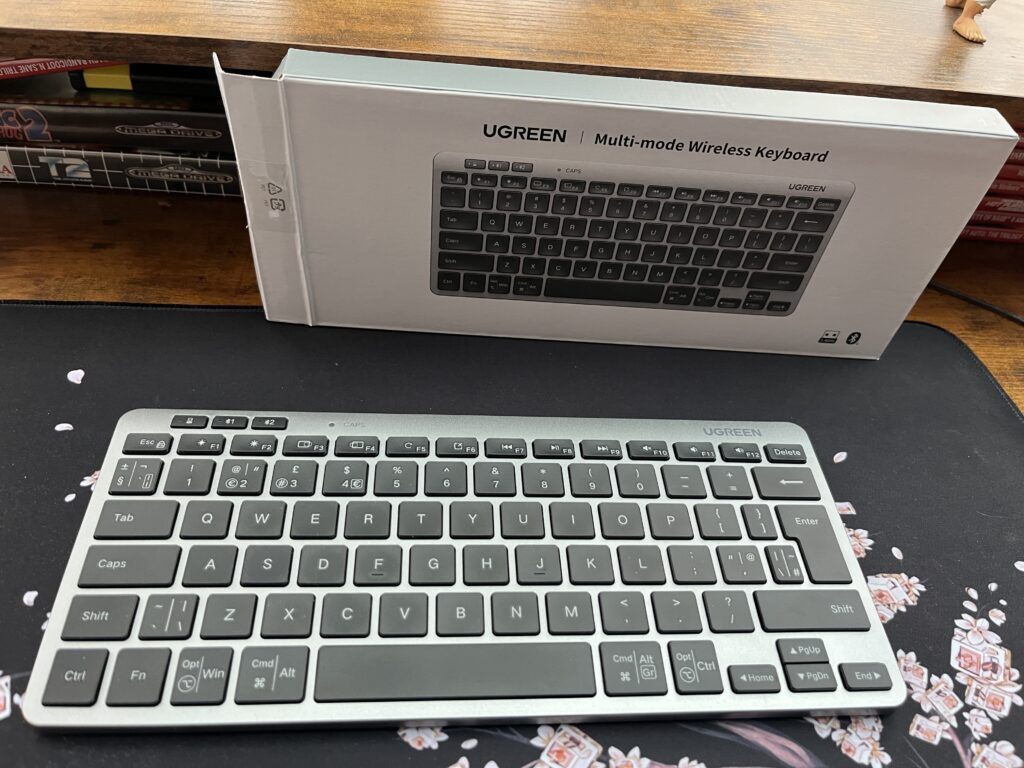
If you want the short version: this is the sensible one.
It feels sturdy, well put together, and the key sizing is spot on for comfortable typing. Key presses are clean and responsive, and overall, it gave me that “this will last” vibe compared to the more plasticky options.
Connection was easy, no drama, and it’s exactly what you’d expect from UGREEN — solid, dependable, does what it says.
My only gripe is also the most important requirement for my use case: no backlight.
That’s not UGREEN’s fault. It doesn’t pretend to be backlit. It’s just that I learned through testing that I really do rely on illuminated keys in the evenings, especially in this lap tray setup, where lighting isn’t always ideal, and I’m not sitting at a perfectly lit desk.
If you don’t need backlighting, this is an easy recommendation, and UGREEN is a very solid manufacturer. I’ve got several of their products for my Steam Deck, etc., and would easily recommend them. For me, it didn’t suit the niche use case, though.
4) ProtoArc Backlit Compact Wireless Keyboard for Mac (K90-A) — £33.99
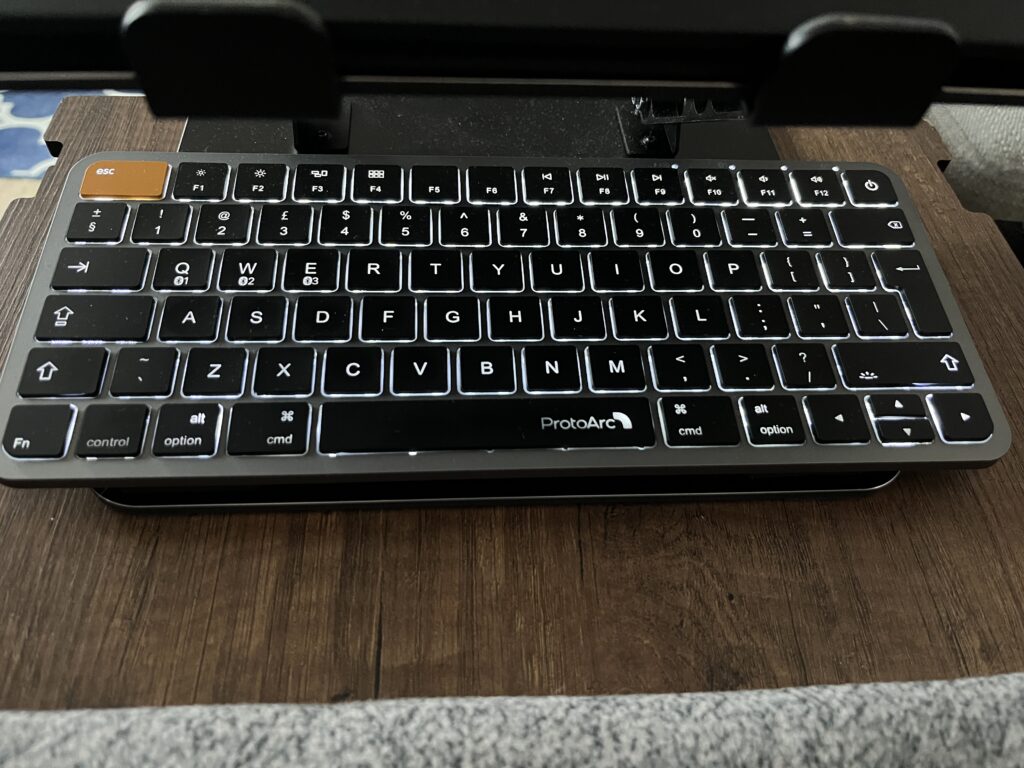
This was the “fine, I’ll spend more money” moment… and honestly, I’m glad I did.
The packaging feels more premium straight away, and the keyboard has real weight to it. For me, that’s a positive. It feels sturdy and planted, not flimsy. If you want an ultra-light travel keyboard, you might prefer one of the cheaper ones — but for a lap tray setup, that extra weight actually helps it stay put.
Typing feels excellent: clean presses, good bounce-back, and a tactile feedback that makes it feel confident without being loud or annoying.
The biggest surprise — and the main reason I’m keeping it — is that the overall sizing and layout feels basically the same as my Windows ThinkPad. That familiarity matters more than people think. It means my hands fall into place naturally, and I’m not constantly thinking about where keys are.
Yes, it’s a Mac-style layout with Mac-specific keys, and yes, the Amazon listing clearly says it’s a Mac/iOS keyboard. I took a chance after seeing a comment suggesting it would still work fine with Windows over standard Bluetooth — and it does which is great.
Some of the F1–F12 secondary functions don’t behave the same way in Windows, but I don’t really care. I’m not buying a compact Bluetooth keyboard for function-row power use. I’m buying it to type comfortably, in low light, without fighting the layout.
After three failed attempts, this is the one that finally felt like a proper daily driver.
The real takeaway
This whole hunt made one thing very clear: backlighting isn’t a “nice to have” for my setup — it’s a requirement. The moment the light drops, non-backlit keys turn into a low-level annoyance that slows everything down and breaks that “typing without thinking” flow.
And once you add “backlit” to “compact”, your choices shrink fast.
So yes, the ProtoArc costs more, and yes, it’s technically a Mac keyboard. But it’s the first one that actually fits how I work: raised laptop, lap tray, evening sessions, and a typing feel that’s familiar enough to disappear in the background.
That’s what I wanted from the start. A keyboard that stops being a thing I’m testing… and just becomes the tool I use.
Related reading @ Retro Tech Tonic

Marty Brown
Gaming Hardware & Retro Tech
Marty covers the technical side of gaming — console hardware, retro setups, handheld devices, and the endless rabbit hole of finding the best way to play. From keyboard reviews to PS2 modding and hardware experiments, his articles focus on practical setups, honest impressions, and the small details that make gaming hardware satisfying to use.